



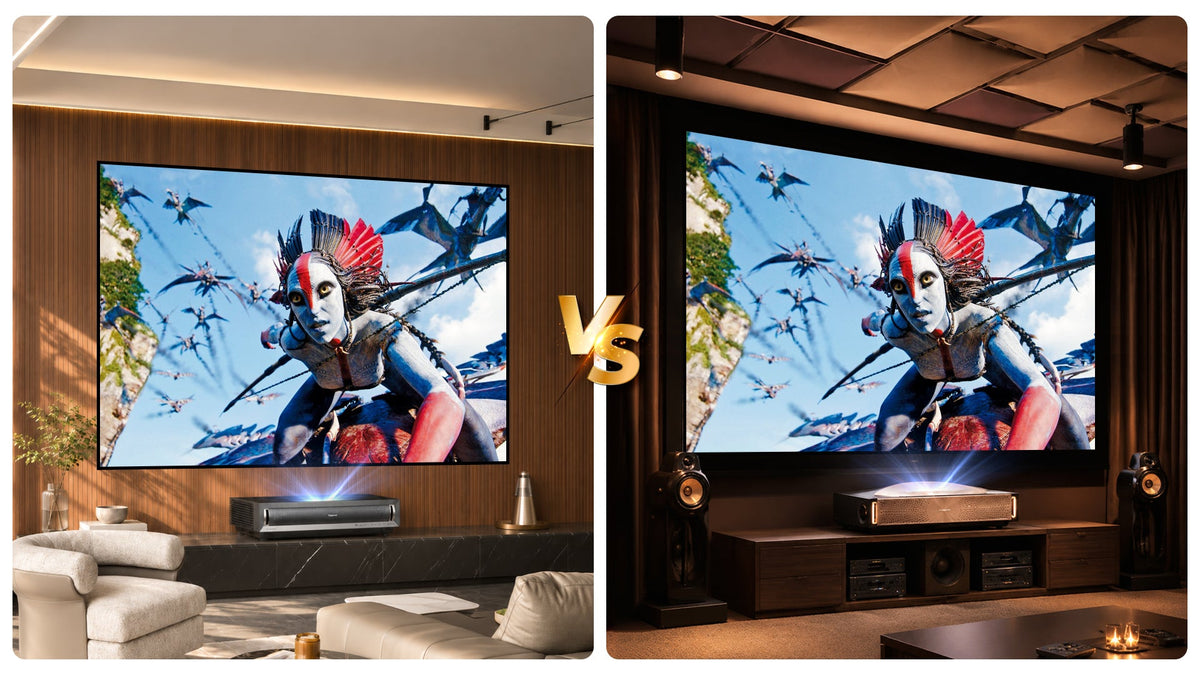
Ultra-short-throw (UST) projectors have crossed a threshold. What was once a niche format defined by awkward trade-offs—dim output, soft focus, and a price tag that made little sense against a large TV—now sits at the center of the premium home entertainment conversation. Walk into a specialist showroom in 2026 and you will find UST units priced anywhere from roughly €2,500 to around €6,000, all claiming 4K, all claiming “laser,” and all promising a 100-inch-plus image from a few inches off the wall.
That price spread is not arbitrary. It reflects a genuine architectural gap in how these machines are built—and, just as importantly, a gap in how much of their claimed performance you can actually see in your room. Understanding where the real engineering ends and the marketing begins is the difference between paying for a better picture and paying for a better brochure.
Quick Verdict: Is a Flagship UST Projector Worth It?
For most buyers, no. A mid-range UST projector around €2,500–€3,500, paired with a correctly matched ALR screen, delivers most of the visible improvement in a normal living room. Spending €3,700–€6,000 buys meaningful headroom—not automatically a better picture.
- Choose mid-range if: you watch in a living room, use a 100–120-inch screen and want the best performance per euro.
- Step up only if: you need a very bright room, a 150-inch+ image, native 4K, sustained high brightness or low-latency gaming.
- Budget for the screen: a €3,000 projector on the right ALR screen will usually beat a €6,000 projector on a white wall.
Projector prices are indicative non-promotional European reference ranges. NothingProjector screen prices are regular selling prices; check the linked product pages for current promotional pricing. Sources and notes appear at the end.
| Comparison Dimension | Mid-Range Sweet Spot (approx. €2,500 – €3,500 RRP) | Flagship Tier (approx. €3,700+ RRP) |
|---|---|---|
| Representative Models | Hisense PX3-PRO TriChroma (typically €3,000–€3,300), Samsung Premiere LSP7T (older model; EU availability varies), Epson Lifestudio Grand (~€2,500 list), XGIMI Aura 2 (typically €2,900–€3,000) | Hisense L9Q (~€5,000–€6,000 list), AWOL Aetherion Max (around €3,900–€4,000), Epson Lifestudio Grand Plus (typically €3,500–€3,730) |
| Light Source & Brightness | Triple-laser RGB (up to 3,000 ANSI lumens) or single-laser + phosphor wheel | High-output Triple-laser RGB (up to 5,000 ANSI lumens) or flagship 3LCD laser-phosphor |
| DMD Chip & 4K Tech | 0.47-inch DMD (1920×1080) with XPR fast-switch pixel shifting | Larger 0.66-inch DMD producing native 4K without pixel-shifting gymnastics |
| Thermal & Sustained Output | Compact chassis; heat management can restrict brightness in extended use | Larger heatsinks, aggressive airflow, or liquid cooling for sustained peak brightness |
| Core Value Proposition | Best price-to-performance balance for everyday living rooms and casual/console gaming | Maximum brightness headroom (up to 200"), native 4K detail, <10ms gaming lag, heavy onboard audio |
The Mid-Range Sweet Spot: More Capable Than Ever, With Quiet Compromises
What €2,300–€3,000 actually buys
The mid-range UST segment—roughly €2,500 to €3,500—is where most buyers land, and for good reason. The Hisense PX3-PRO TriChroma has become the reference point in this bracket: a triple-laser RGB light engine rated at 3,000 ANSI lumens, full 4K via Texas Instruments’ XPR fast-switch pixel shifting, and support for every major HDR format including Dolby Vision. It was the first UST projector to earn a “Designed for Xbox” certification, with input lag low enough to satisfy console gamers, and it runs Google TV natively. At typical European pricing around €3,000–€3,300, it is, by most accounts, the best value proposition in the category.

Where the compromises start to show
The Samsung Premiere LSP7T and the Epson EpiqVision Ultra LS650 occupy similar territory. The Epson uses a single-laser-with-phosphor-wheel approach paired with 3LCD imaging, which eliminates the rainbow artifacts that single-chip DLP designs can produce, while the Samsung leans on a more conventional laser-phosphor engine at a lower price point. The XGIMI Aura 2 has also earned attention for its balance of price and performance, though reviewers note that heat management restricts brightness in extended use—a reminder that compact mid-range chassis have physical limits.
Mid-range verdict
User feedback largely confirms what the spec sheets imply. Mid-range UST owners report genuine satisfaction with color saturation and everyday usability, but the recurring notes are telling: out-of-box settings often need tuning for shadow detail, and the “4K” badge deserves an asterisk because the underlying DLP chip is a 1920×1080 microdisplay shifting at high speed to simulate 3840×2160. It looks sharp—genuinely sharp—but it is not native 4K in the way a flagship large-format DMD produces it. That distinction does not ruin the experience; it simply defines the ceiling of what the mid-range can achieve.
Mid-range bottom line: today’s €2,300–€3,000 class is not a “compromise tier” for most rooms. It is the point where triple-laser colour, 4K pixel shifting, streaming and usable gaming performance converge.
- Best fit: 100–120-inch living-room setups with some light control.
- Main trade-offs: less brightness headroom, smaller DMD, and more thermal compression in long sessions.
- Do not overspend here before you have budgeted for the right screen.
The Flagship Tier: What €3,700+ Actually Buys
Mid-range bottom line: today’s €2,300–€3,000 class is not a “compromise tier” for most rooms. It is the point where triple-laser colour, 4K pixel shifting, streaming and usable gaming performance converge.
- Best fit: 100–120-inch living-room setups with some light control.
- Main trade-offs: less brightness headroom, smaller DMD, and more thermal compression in long sessions.
- Do not overspend here before you have budgeted for the right screen.
What separates a flagship
Above €3,700, the engineering priorities shift. The Hisense L9Q (list around €5,000–€6,000) is the current benchmark: 5,000 ANSI lumens, the brightest UST output measured in independent testing, a lens rated for images up to 200 inches diagonal, and a 116-watt onboard audio system with ten speakers and dual subwoofers. The AWOL Aetherion Max (around €3,900–€4,000) takes a different tack, pairing tri-color lasers with an anti-rainbow feature and input lag measured below 10 milliseconds at 4K/60Hz—genuinely competitive with dedicated gaming displays. Epson’s Lifestudio Grand Plus occupies the flagship space with a laser-phosphor light source and three-LCD imaging, marketed specifically as a rainbow-free and speckle-free alternative for viewers sensitive to DLP artifacts.

Who actually benefits from the upgrade
These machines are not simply mid-range units with a brighter bulb. In the manufacturers’ lineups, they serve a dual purpose: they establish a performance halo that lends credibility to the brand’s entire UST range, and they act as a defensive moat against the rapid upward march of Chinese competitors. The market data shows why that defense matters. By the first quarter of 2026, mainland Chinese brands accounted for 49.6% of global laser projector shipments, with XGIMI second only to Epson in total volume and JMGO holding nearly 20% of the portable segment. AWOL Vision, a newer entrant, captured 50% of the North American market for projectors sold above €2,000 in 2024. Hisense’s laser TV division, meanwhile, held 70% of global volume share in the first half of 2025, with overseas unit sales up 85% year-on-year.
The flagship tier is where traditional and emerging brands fight for the top of that pyramid. Looking toward 2027, the trajectory is clear: pure RGB triple-laser engines will continue to migrate downward in price, while flagship differentiation will hinge on native DMD size, thermal engineering, and the kind of processing that cannot be copied from a spec sheet. AWOL has already signaled the next round with a 4K 120Hz UST model, and the competitive pressure from Hisense, XGIMI, and JMGO shows no sign of easing. The flagship will remain expensive, but the justification for that expense will become narrower and more technical—which is exactly why buyers need to know what is real.
Flagship bottom line: the upgrade is real, but it is concentrated in brightness headroom, native 4K, thermal stability, audio and gaming latency. If none of those solve a specific problem in your room, the premium will be hard to see.
- Worth it for: very bright rooms, 150-inch+ images and demanding gaming.
- Weak reason to upgrade: a normal dim living room at 100–120 inches.
The Technical Divide, Stripped of Jargon: Real Thresholds vs. Marketing Premium
Light engine: where the real gap starts
To understand why a €6,000 projector can legitimately outperform a €3,000 one—and where the extra money stops buying meaningful returns—it helps to look inside the box at the laser projector optical engine explained in plain terms. The optical engine is the entire light path: the lasers, the beam combining and homogenizing optics, the light modulator (almost always a DLP DMD chip in this category), and the projection lens. The quality of that chain determines brightness, contrast, color purity, and focus uniformity far more than any single number on the box.
Why light-engine architecture matters
The most consequential fork in the road is the light source architecture. A single-laser-plus-phosphor-wheel engine—found in many mid-range and older designs—uses a blue laser to excite a phosphor wheel that emits yellow and green light, with the blue component split off for the blue channel. It is efficient and mature, but the color gamut is constrained and the white brightness rarely matches the color brightness. A tri-chroma laser technology breakdown reveals a different approach: three independent red, green, and blue lasers generate the primaries directly, with no phosphor conversion step. The result is color brightness that equals white brightness, deeper blacks, and coverage approaching or exceeding the Rec.2020 and DCI-P3 spaces that cinema content is graded in. This is a genuine technical threshold. You can see it in saturated HDR highlights and in the absence of the washed-out look that single-laser engines can produce in bright scenes.

DMD and pixel shifting: the 4K distinction
The second threshold is the DMD chip itself. Mid-range units typically use a 0.47-inch DMD with XPR pixel shifting—a 1080p microdisplay that flashes four sub-frames to create a 4K image. Flagships often step up to a 0.66-inch DMD, which is larger, reflects more light, and produces native 4K without pixel-shifting gymnastics. The larger chip is more expensive, generates more heat, and demands a more sophisticated optical path, which is a major reason flagship units are physically larger and heavier. The difference is not night-and-day in a dark room on a 100-inch screen, but it becomes visible in fine detail, in motion resolution, and in how cleanly the image holds up on a 120-inch or larger canvas.

Thermal design and sustained brightness
The third threshold is thermal engineering. A 5,000-lumen UST engine produces serious heat in a compact chassis. Flagships use larger heatsinks, more aggressive airflow, and sometimes liquid cooling to sustain brightness without throttling or excessive fan noise. Mid-range units can hit impressive peak brightness, but reviewers consistently note that heat issues can restrict brightness in extended testing. Sustained brightness is a real engineering cost, not a marketing fiction.
| Feature / Spec | Real Technical Threshold (Worth Paying For) | Marketing Premium / Gray Area |
|---|---|---|
| Light Engine | Pure RGB Tri-Chroma Laser: Direct R/G/B generation, color brightness equals white brightness, full Rec.2020/DCI-P3 gamut. | "Laser" Umbrella Label: Single blue laser + phosphor wheel marketed identically to tri-chroma despite narrower gamut. |
| 4K Resolution | 0.66-inch Native 4K DMD: True native pixel count, higher light reflection, cleaner fine detail on 120"+ screens. | 0.47-inch XPR Pixel-Shifting: Legitimate 1080p fast-switching simulation, but carries a "4K" badge without native pixels. |
| Brightness & Cooling | Sustained Thermal Stability: Heavy heatsinks/liquid cooling preventing brightness throttling during multi-hour movies. | Peak Lumen Numbers: Short-burst peak brightness figures that drop under real-world thermal load. |
| HDR & Audio | Optical Contrast & Lens Quality: Physical black-level floor and edge-to-edge focus uniformity. | Format Badges & Wattage: Dolby Vision/HDR10+ decoding without contrast headroom; high onboard wattage vs. real soundbars. |
When the premium stops buying visible performance
What, then, is marketing premium rather than technical threshold? The “4K” label on a pixel-shifting DLP projector is a gray area—it is a legitimate technique, but it is not native 4K, and the distinction matters at large screen sizes. “HDR support” is another: supporting Dolby Vision or HDR10+ is not the same as having the contrast and brightness headroom to render HDR highlights with impact. A projector that accepts an HDR signal but cannot produce deep blacks or specular highlights is doing tone mapping, not HDR display. Similarly, onboard audio wattage and driver counts can look impressive on paper while still falling short of even a modest dedicated soundbar or AV receiver setup. The real threshold is optical: light engine purity, chip size, lens quality, and thermal stability. Everything else is either a convenience feature or a number designed to win a comparison table.
Technical bottom line: pay for thresholds you can actually see in your room—native 4K at large sizes, sustained brightness, accurate colour and low latency. Do not pay for a label alone.
- Real thresholds: optical engine, DMD, thermal design, lens quality.
- Gray areas: “4K” without context, inflated lumen figures and feature lists that do not change pictured performance.
Why the Screen Is Not an Accessory—It Is Half the Optical System
Why a white wall wastes a good projector
Here is the part of the UST conversation that gets buried under projector specs: a projector does not create an image on its own. It creates light, and that light must be reflected off a surface toward your eyes. The screen is not a passive backdrop; it is an active optical component, and its properties determine whether the projector’s contrast, color, and brightness actually reach you intact.
Why ambient light changes the screen equation
The physics are straightforward. In a bright or ambient-light room—a living room with windows, lamps, or overhead lighting—the screen is hit by two kinds of light: the image light from the projector (coming from below at a steep angle, because UST optics fire upward) and ambient light from the room (coming from above and the sides). A standard white screen reflects both equally, which washes out blacks and desaturates color. An ambient-light-rejecting (ALR) screen solves this by using a microscopic optical structure that reflects light arriving from the projector’s steep angle back toward the viewer while absorbing or redirecting light arriving from above.

Matching the screen to the room
This is exactly where NothingProjector’s Black Series earns its place. The fixed-frame ALR screen for UST projectors uses a Premium HBST PET Material with a 0.6 gain and 95% ambient-light rejection, engineered specifically for the steep projection angle of ultra-short-throw optics. This premium material is the same class of optical film that major display brands use in their own high-end UST screens, and those branded screens routinely sell for €2,000 and above in the European market. NothingProjector’s version delivers the same optical function at a price that changes the economics of the entire setup. For a room where the projector must coexist with daylight or evening lamps, this is not an upgrade—it is the difference between a washed-out projection and a usable television replacement.
When motorized floor-rising makes sense
The same engineering logic applies to NothingProjector’s motorized floor-rising Black Series ALR screen. It uses the same Premium HBST PET Material and the same 95% ambient-light rejection, but in a retractable format that disappears into a floor housing when not in use. For living rooms where a permanent 100-inch black rectangle on the wall is not acceptable, this preserves the optical performance of the Black Series while solving the interior-design problem. The motorized mechanism is convenience, but the premium optical layer is the reason the image holds up in a room that is not a dedicated cave.

When matte white is the better choice
In a dark, light-controlled home cinema, the optical requirements invert. There is little ambient light to reject, so the screen’s job is to preserve color neutrality, viewing-angle uniformity, and accurate gain without introducing texture or hotspots. A matte white surface with a well-controlled gain of around 1.3 is the correct tool here: it reflects the projector’s light evenly across a wide viewing cone, maintains color fidelity, and avoids the sparkle or grain that can afflict ALR structures under direct viewing. NothingProjector’s Matte White motorized floor-rising screen and its Matte White fixed-frame screen are built for exactly this environment: a clean, neutral canvas that lets a color-accurate tri-chroma engine show what it can do, without asking the screen to perform a light-rejection trick it does not need. The fixed-frame version is the purist’s choice for a dedicated room; the motorized version is for a multi-use space where the screen can retract when the room reverts to something other than a cinema.
| Screen Model | Optical Material & Gain | Best Room Environment | Form Factor & Key Advantage |
|---|---|---|---|
| NothingProjector Black Series (Fixed-Frame ALR) | Premium HBST PET Material, 0.6 Gain, 95% ALR | Bright living rooms with windows, daylight, or overhead lamps | Permanent wall frame; flagship-grade optical film performance without €2,000+ brand markup |
| NothingProjector Black Series (Motorized Floor-Rising ALR) | Premium HBST PET Material, 0.6 Gain, 95% ALR | Multi-purpose living rooms with ambient light | Retractable floor housing; hides completely when not in use while preserving 95% ALR |
| NothingProjector Matte White (Fixed-Frame) | Matte White surface, ~1.3 Gain | Dark, light-controlled dedicated home cinema | Permanent wall frame; purist choice for wide viewing angles, color neutrality, and zero sparkle |
| NothingProjector Matte White (Motorized Floor-Rising) | Matte White surface, ~1.3 Gain | Dark, light-controlled multi-use rooms | Retractable floor housing; clean neutral canvas for tri-chroma engines that stows away easily |
NothingProjector screen regular-price reference: Black Series fixed-frame screens start at €649, Black Series motorized floor-rising screens at €1,299, Matte White fixed-frame screens at €299, and Matte White motorized floor-rising screens at €799. These are regular selling prices, not promotional prices; check the linked product pages for the current promotion.
The Key Insight: The screen decision should follow the room, not the projector’s price tag. A €6,000 flagship paired with a white screen in a bright living room will underperform a €3,000 mid-range unit paired with a proper ALR screen. The projector supplies the light; the screen decides how much of that light—and how much of the room’s light—reaches your eyes. Treating the screen as an afterthought is the most common and most expensive mistake in UST ownership.

Screen bottom line: the screen is not an add-on; it is the last optical component in the chain. Match it to the projector’s throw type and to the room’s light conditions before spending more on the projector.
- Bright living room + UST: CLR/ALR screen is the priority.
- Dark dedicated room: a neutral matte white surface can be the better choice.
- Wrong screen: even a flagship cannot recover the lost contrast.
Which One Should You Buy?
- Normal living room, mixed light, 100–120 inches: a mid-range UST with a Black Series ALR screen is usually the sensible ceiling of useful spending.
- Very bright room or 150-inch+ image: move up for brightness headroom and better thermal stability; keep the ALR screen in the budget.
- Dedicated dark room with a long-throw projector: prioritise colour accuracy and a neutral matte white screen over flagship brightness.
- Console gaming: verify measured input lag, VRR and 120 Hz support rather than paying for irrelevant audio or design features.
The real divide in ultra-short-throw projectors is not a single number or a single feature. It is a chain of optical decisions—light engine purity, chip size, thermal design, lens quality—and a final optical decision that happens at the screen surface. A mid-range unit with a genuine tri-chroma engine and a well-matched ALR screen will deliver a more convincing image in a real room than a flagship pushed to its limits against a wall. Know where the thresholds are, and you can spend your money where it actually shows up on screen.
Methodology, Sources and Price Notes
This comparison is based on manufacturer specifications, European retail listings, independent reviews and known screen-matching principles. It is not a controlled lab test of every unit. Prices for third-party projectors are indicative non-promotional reference ranges from European specialist retailers, not current promotional prices. They include VAT where the retailer states it and were checked on 19 November 2026; retail pricing varies by country and promotion. NothingProjector screen prices are regular reference prices; current promotional pricing is shown on the linked product pages.
- Son-Vidéo — Hisense PX3-Pro review and European launch pricing. Typical non-promotional European pricing is around €3,000–€3,300.
- Son-Vidéo — Hisense L9Q review. Typical European list pricing is around €5,000–€6,000 depending on retailer.
- Son-Vidéo — AWOL Vision Aetherion Pro and Max European pricing. Aetherion Max list price is around €3,900–€4,000.
- Son-Vidéo — XGIMI Aura 2 European launch. Typical non-promotional price is around €2,900–€3,000.
- Epson Europe — Lifestudio Grand and Grand Plus pricing. Lifestudio Grand Plus typical list price is around €3,500–€3,730.
- NothingProjector — Black Series fixed-frame screen.
- NothingProjector — Black Series motorized floor-rising screen.
- NothingProjector — Matte White fixed-frame screen.
- NothingProjector — Matte White motorized floor-rising screen.
Frequently Asked Questions
Is a flagship UST projector worth it for a normal living room?
Usually not. A current mid-range triple-laser UST paired with a good ALR screen already delivers strong colour, contrast and 4K detail at 100–120 inches. A flagship makes more sense when you need extra brightness headroom, a 150-inch+ image or lower gaming latency.
Is a 0.66-inch DMD visibly better than a 0.47-inch DMD?
A larger native 4K DMD has the clearest advantage at very large image sizes and close viewing distances, where pixel structure and fine detail become more visible. At a typical 3 m viewing distance and 100 inches, the difference is real but less dramatic than marketing suggests.
Do I need an expensive screen with a flagship projector?
Yes—or you are wasting part of the projector’s potential. In a bright room, a flagship on a white wall can lose contrast and colour impact next to a mid-range projector on a proper ALR/CLR screen. Match the screen to the projector’s throw type and the room’s lighting.
How many lumens do I need in a European living room?
For a 100–120-inch UST setup with some light control, roughly 2,000–3,000 ISO lumens is often enough when paired with an ALR screen. Bright, south-facing rooms and 150-inch images benefit from more headroom, but sustained brightness and screen behaviour matter more than a single peak-lumen number.
Is tri-chroma laser better than single-laser plus phosphor?
Tri-chroma can deliver a wider colour volume and higher brightness, especially in bright rooms. A well-implemented single-laser design can still look natural and accurate. Judge the final picture—not the label—and check colour presets, contrast and fan noise in person where possible.
Should I buy a 2026 model or wait?
If you need a projector now, a discounted current model is usually better value than paying a launch premium. If you are targeting native 4K, very high sustained brightness or the next generation of gaming features, waiting one product cycle can be worthwhile.

